101
Intro: what and why
The problem with default agents, what a skill is, and how to install and get a first win.
- The shortest-path problem
- Skill anatomy
- The lifecycle
- Your first spec
Everything you need to explain, teach, or post about agent-skills. Branded workflow diagrams, ready-to-present decks, and plain-language guides for solo work, teams, and customization. Grab anything here and reuse it freely. MIT licensed, no sign-up.
Three self-contained decks that build from first principles to team rollout. Present the HTML version right in the browser (arrow keys, F for fullscreen, P for PDF), or download the PPTX to edit and make your own.
The problem with default agents, what a skill is, and how to install and get a first win.
The eight commands, the solo daily loop, and how each phase actually plays out.
Review panels, context budgets, four ways to customize, evals, and rolling out to a team.
Five diagrams that explain the model at a glance. Download the SVG to keep it crisp at any size, or the PNG for a quick paste into a post, slide, or thread.
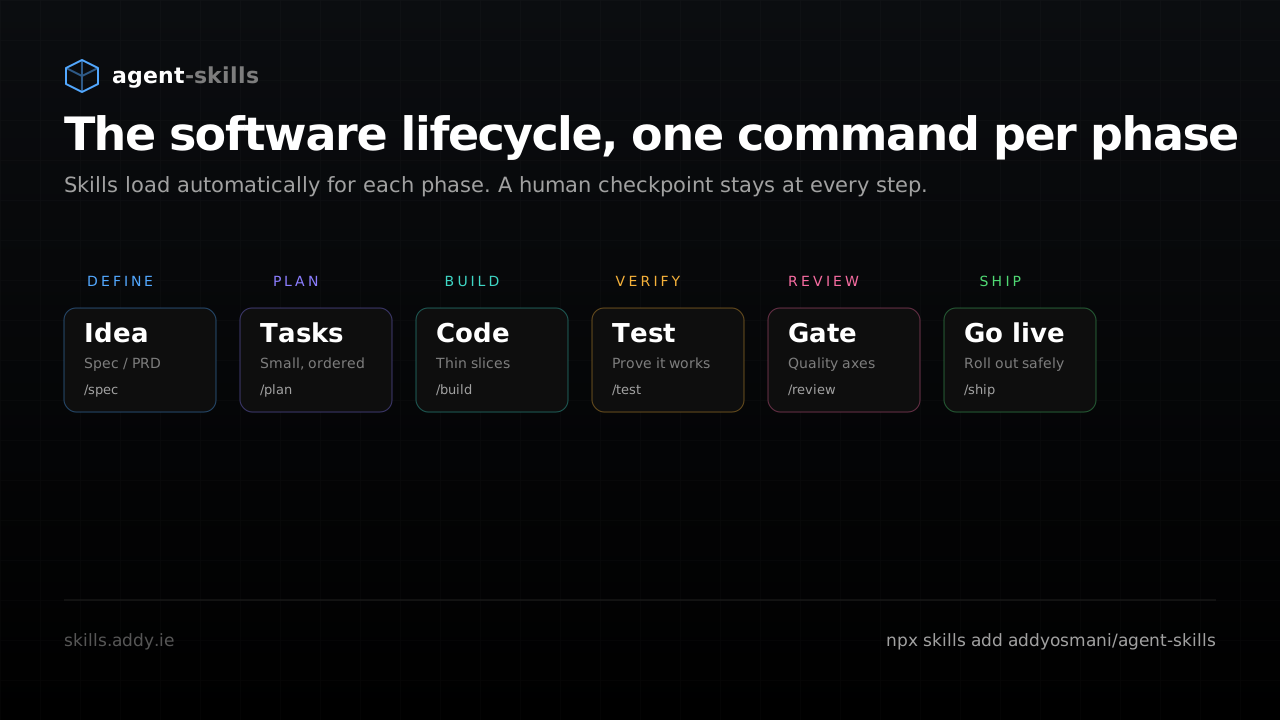
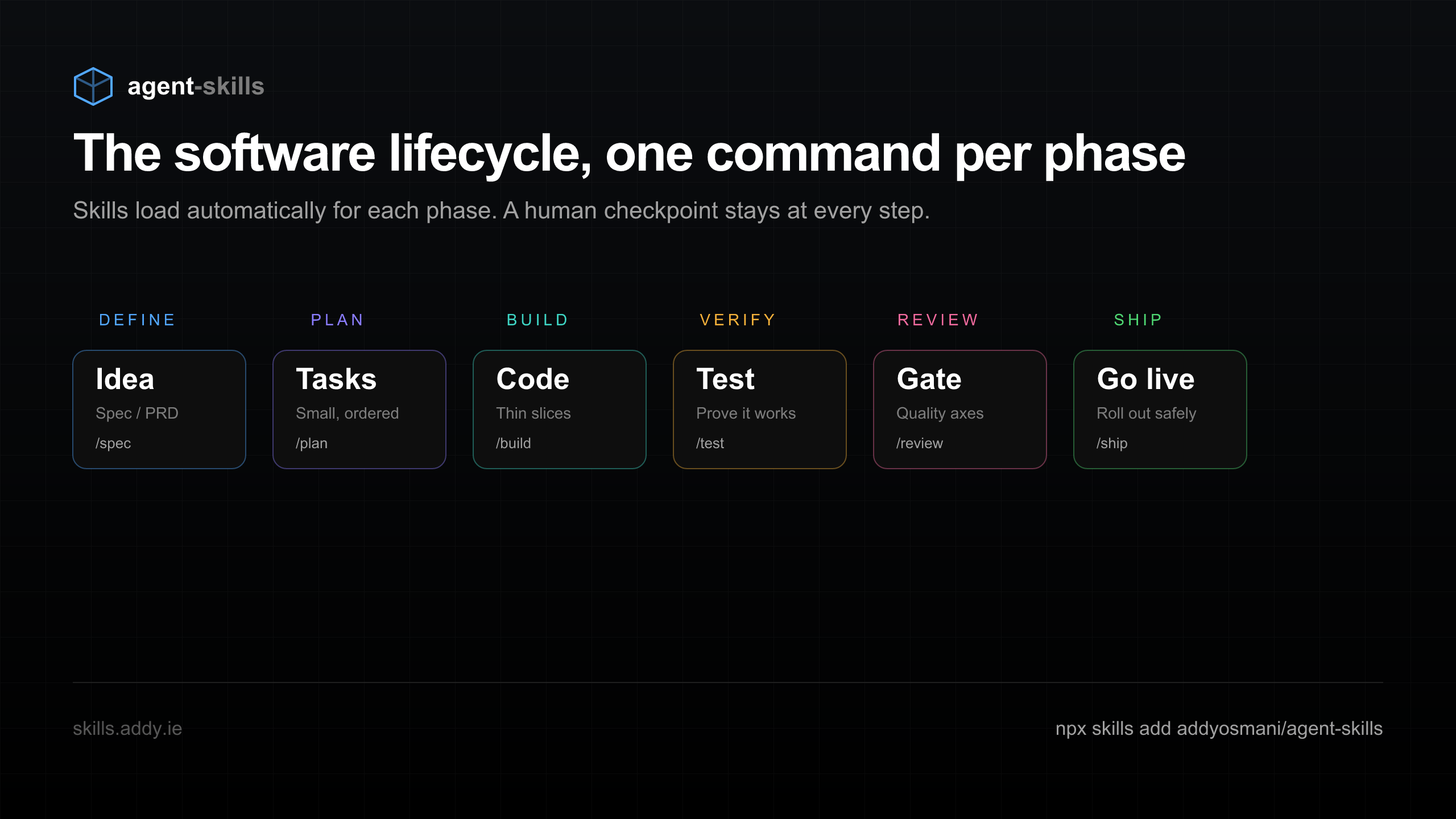
Define to Ship, one command per phase. The core mental model in a single frame.
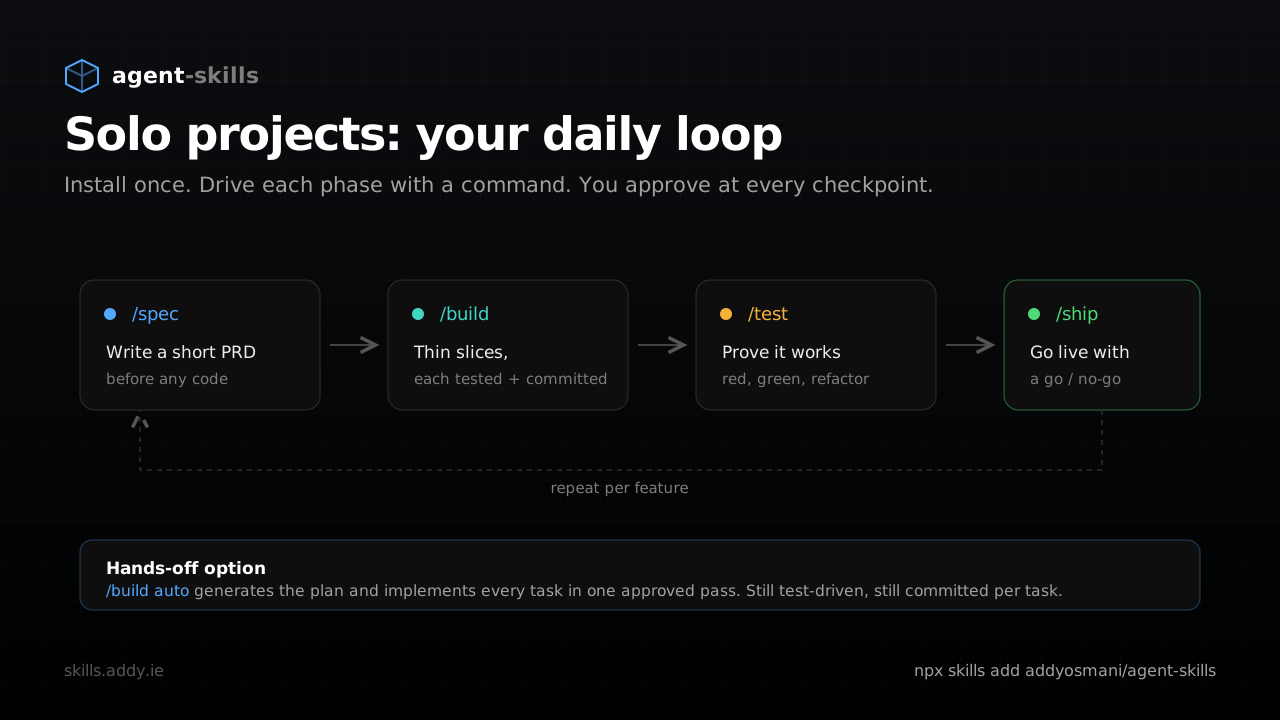
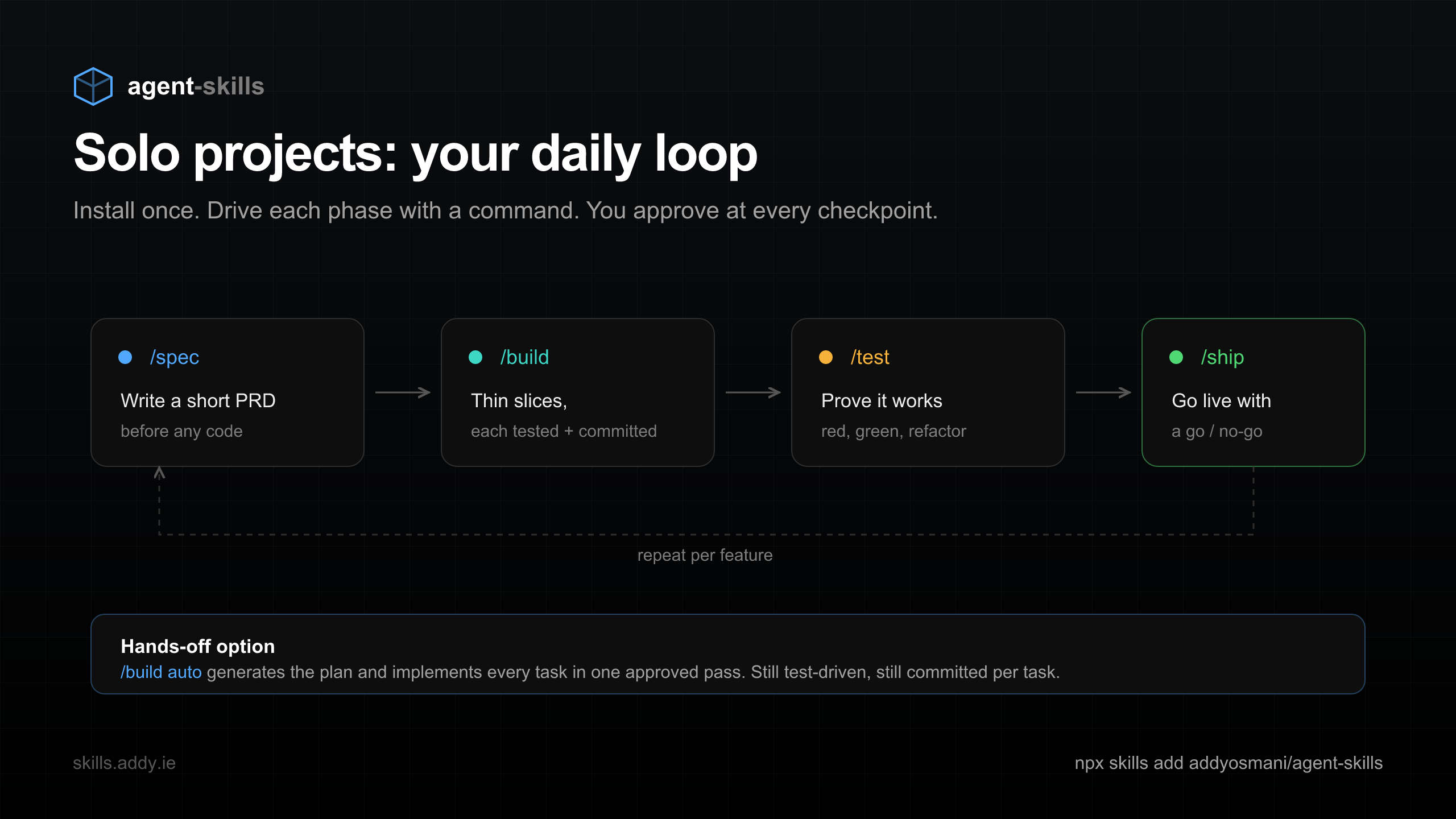
How one developer drives spec, build, test, ship, plus the hands-off /build auto option.
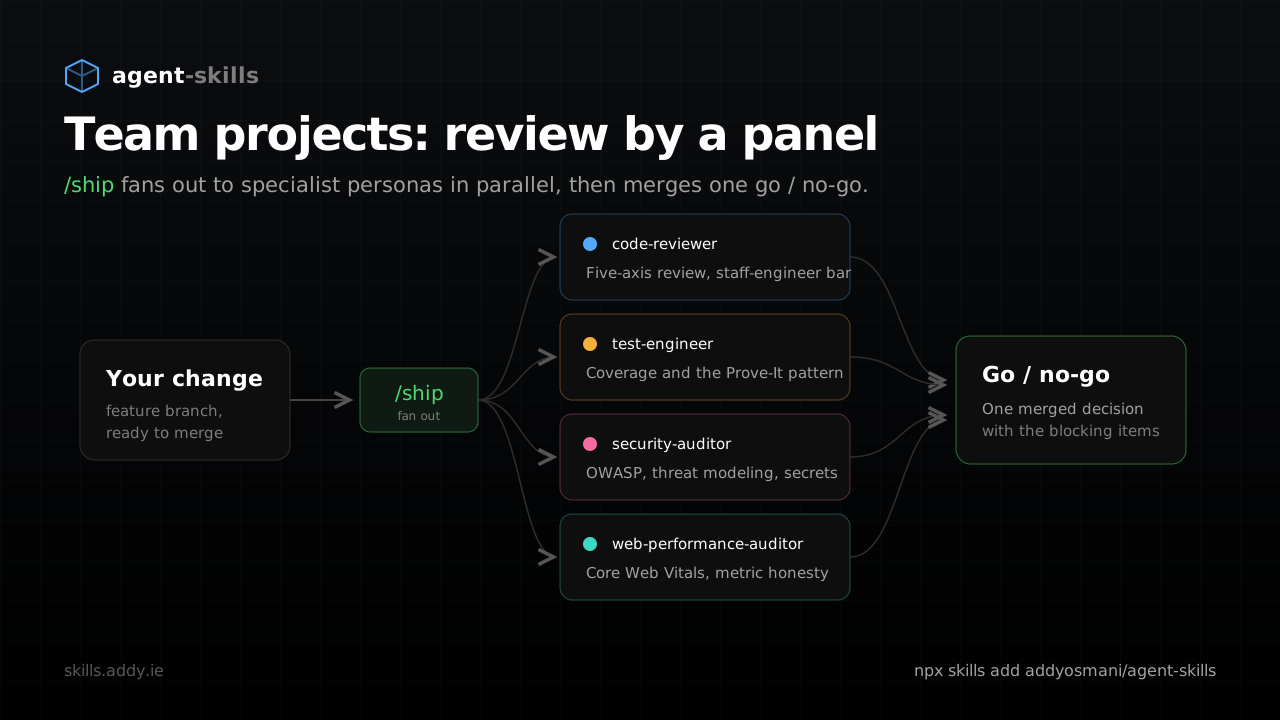
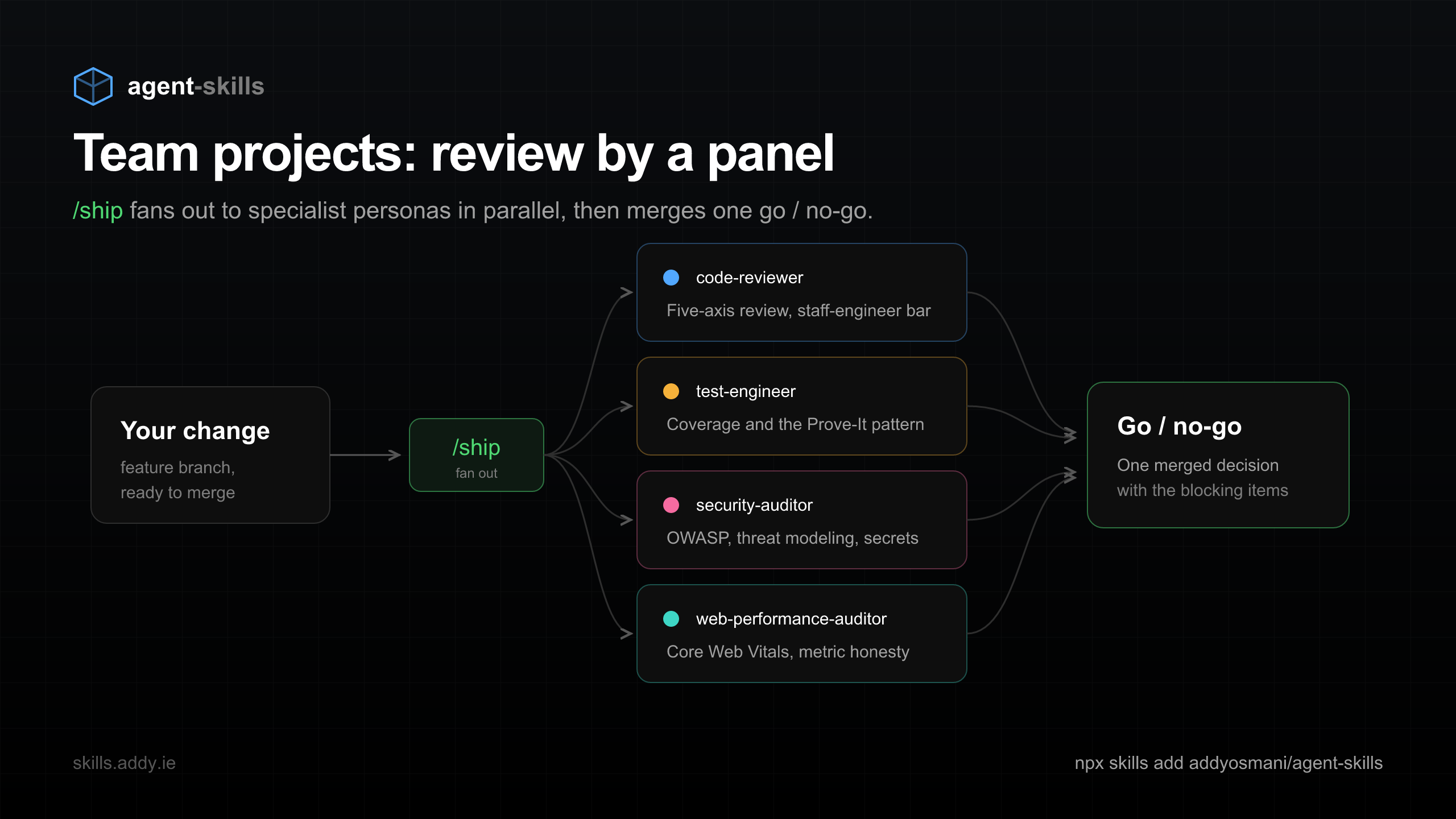
/ship fans out to four specialist personas in parallel, then merges one go / no-go.
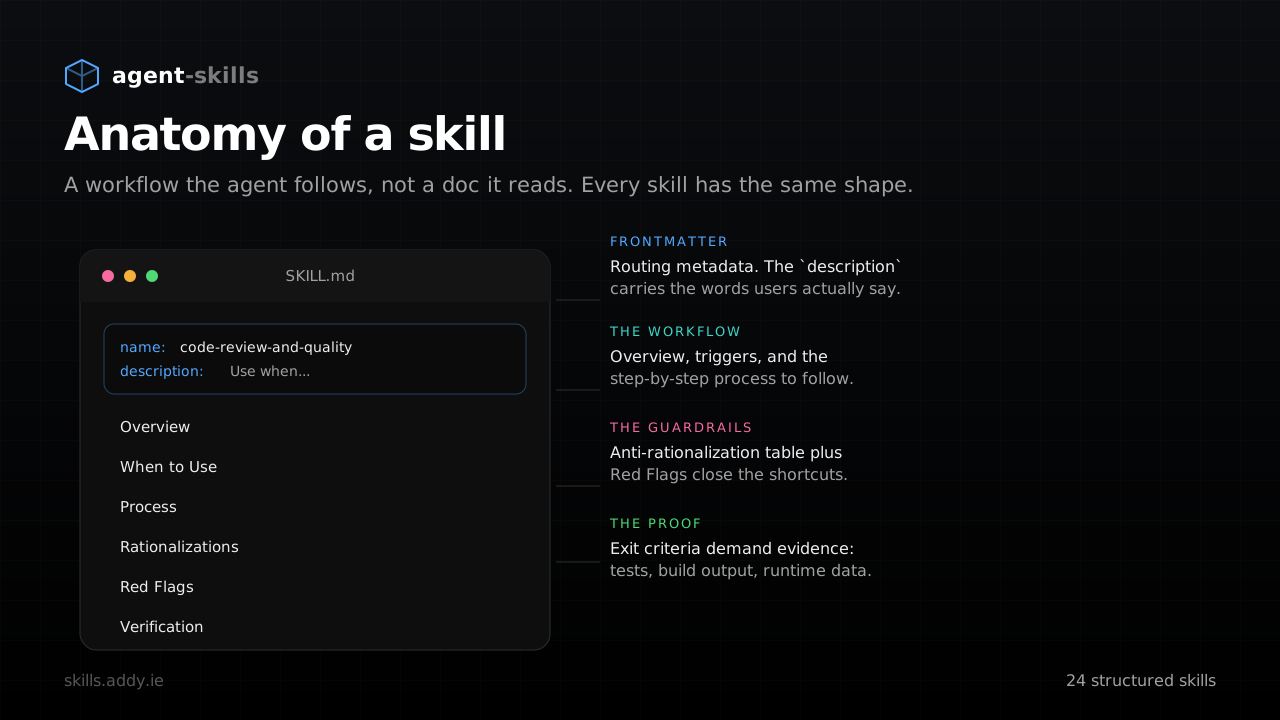
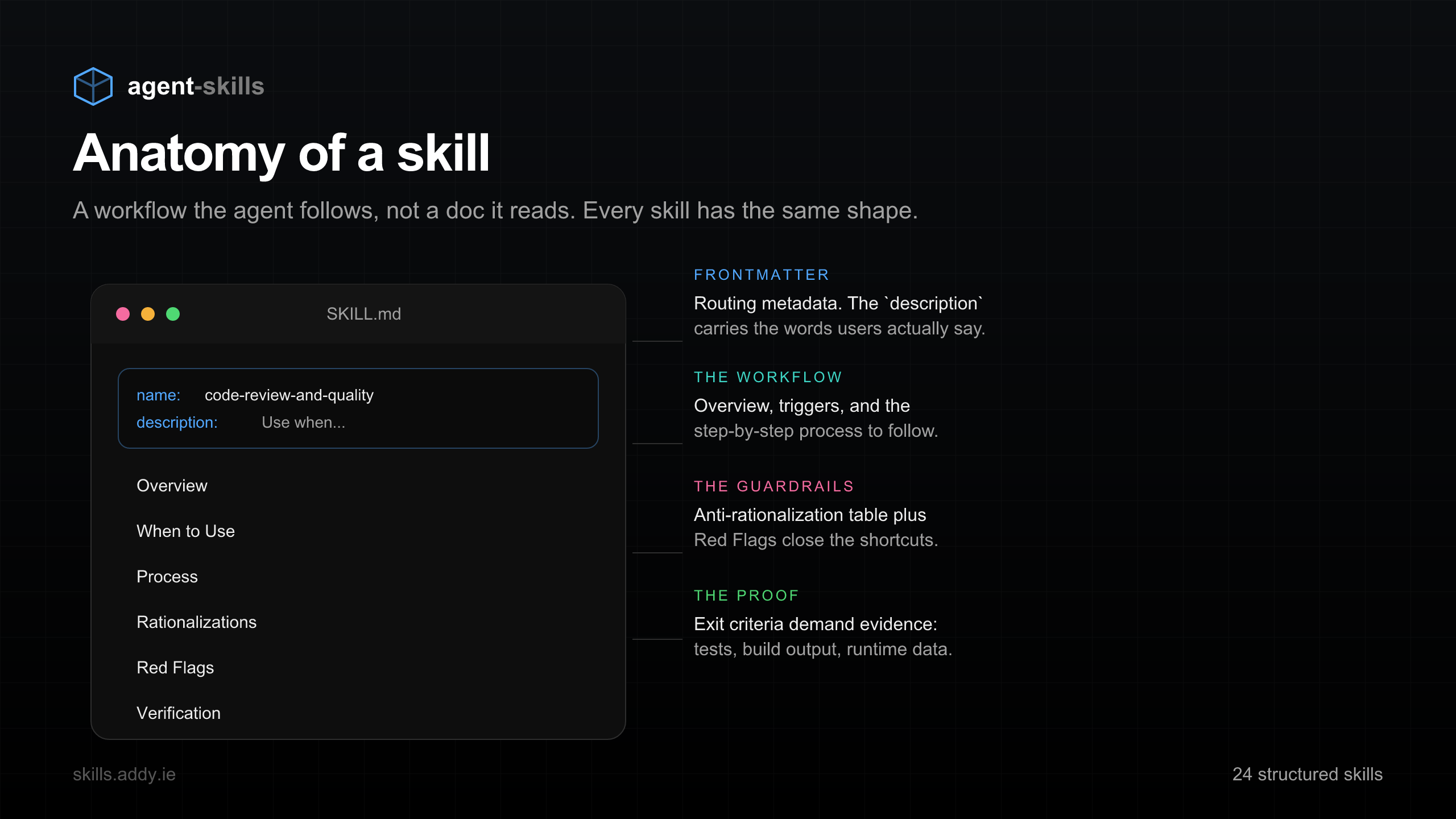
Frontmatter, workflow, guardrails, and verification. Why a skill is a process, not a prompt.
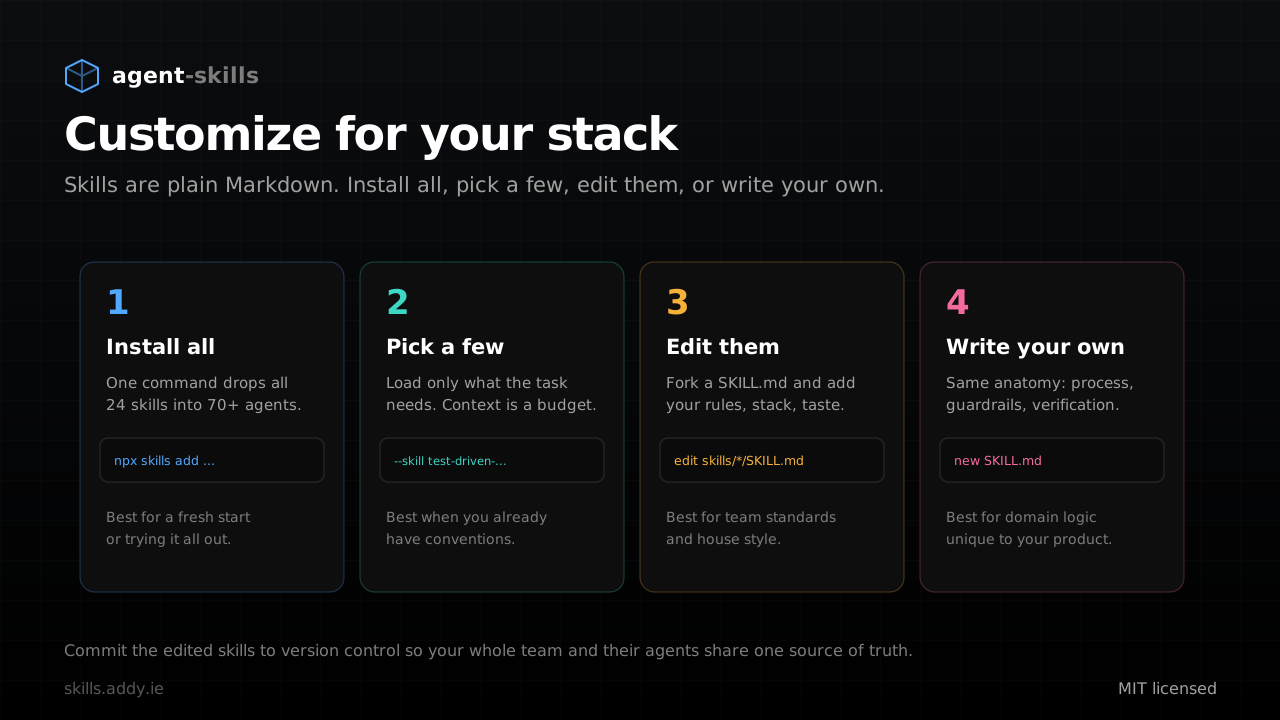
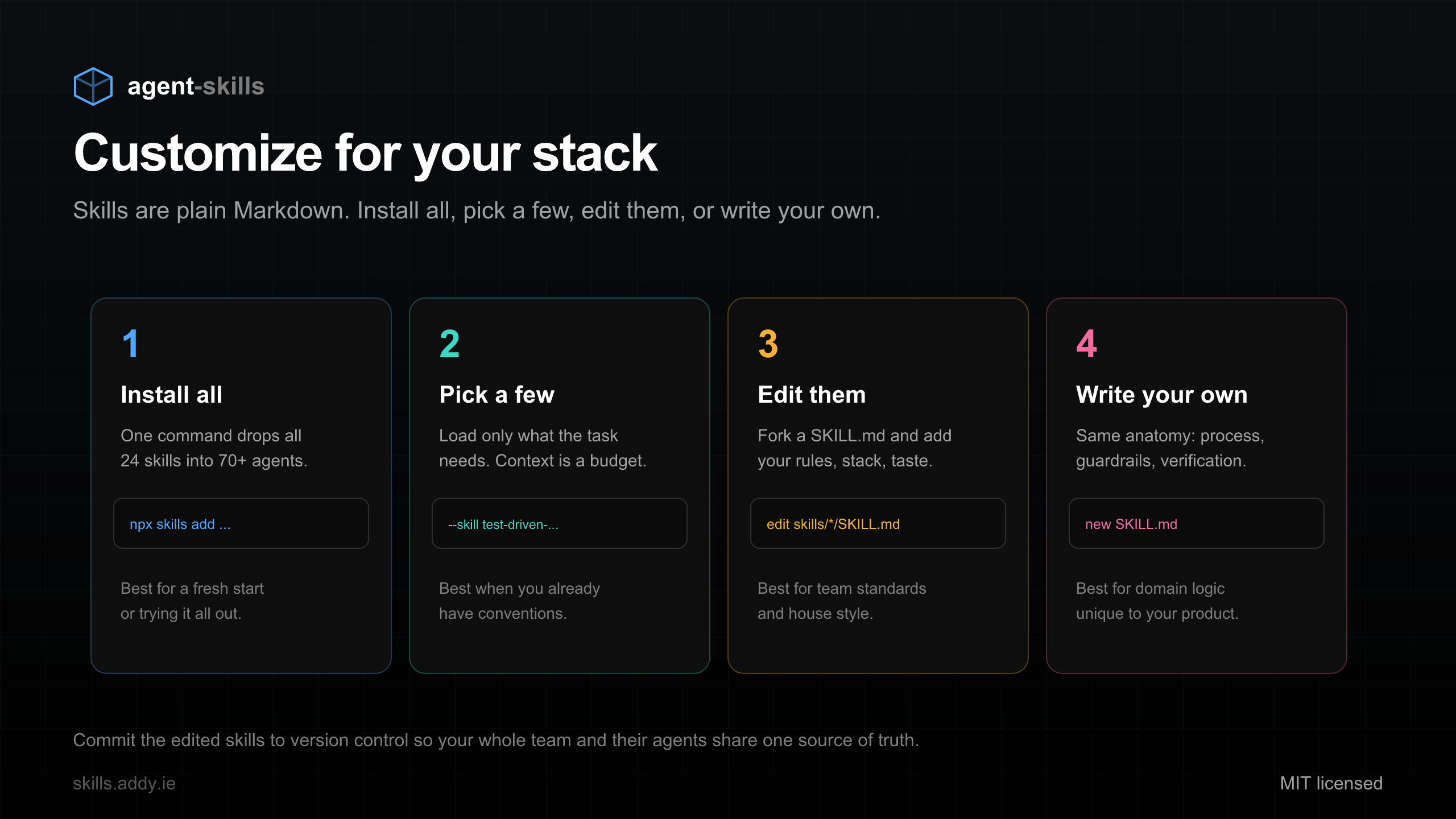
Install all, pick a few, edit them, or write your own. Skills are plain Markdown.
The SDLC is the spine of the whole project. Here is how it plays out when you work alone, when you work on a team, and how to customize it for your own stack.
Install once, then drive each lifecycle phase with a single command. You approve at every checkpoint, and every slice is tested and committed on its own.
The same lifecycle scales to a team. /ship fans out to specialist review personas in parallel, then merges their findings into one honest go / no-go with the blocking items called out.
Skills are plain Markdown, so you own them. Install all 24, load only the few a task needs, fork a SKILL.md to add your house style, or write your own with the same anatomy.
Snippets and assets sized for a quick share. Everything is copy-ready.
Four die-cut-ready designs with transparent backgrounds, in two resolutions: 300 DPI (2508×2508) covers most sticker printing, and 600 DPI (5016×5016) is there if your printer wants the extra density. Both print crisp up to about 8 in / 21 cm. Download one, upload it to your favorite sticker printer (Sticker Mule, Vistaprint, a local shop), and slap it on a laptop near you.




Printing tip: pick "die-cut" and the printer will cut along the sticker outline automatically. The transparent PNG is the safe bet everywhere; WebP is the same image in a smaller file, if your printer accepts it. 300 DPI is what most services ask for; grab 600 DPI for large prints or picky print shops.
Tag the project so others can find it. Everything here is MIT licensed and free to reuse.